Projects
Create projects, assign members, understand project roles, and change or delete a project.
In Vectana you create a project for each system or repository you want to watch. Packages, runtimes and notification targets all belong to a project.
Create a project
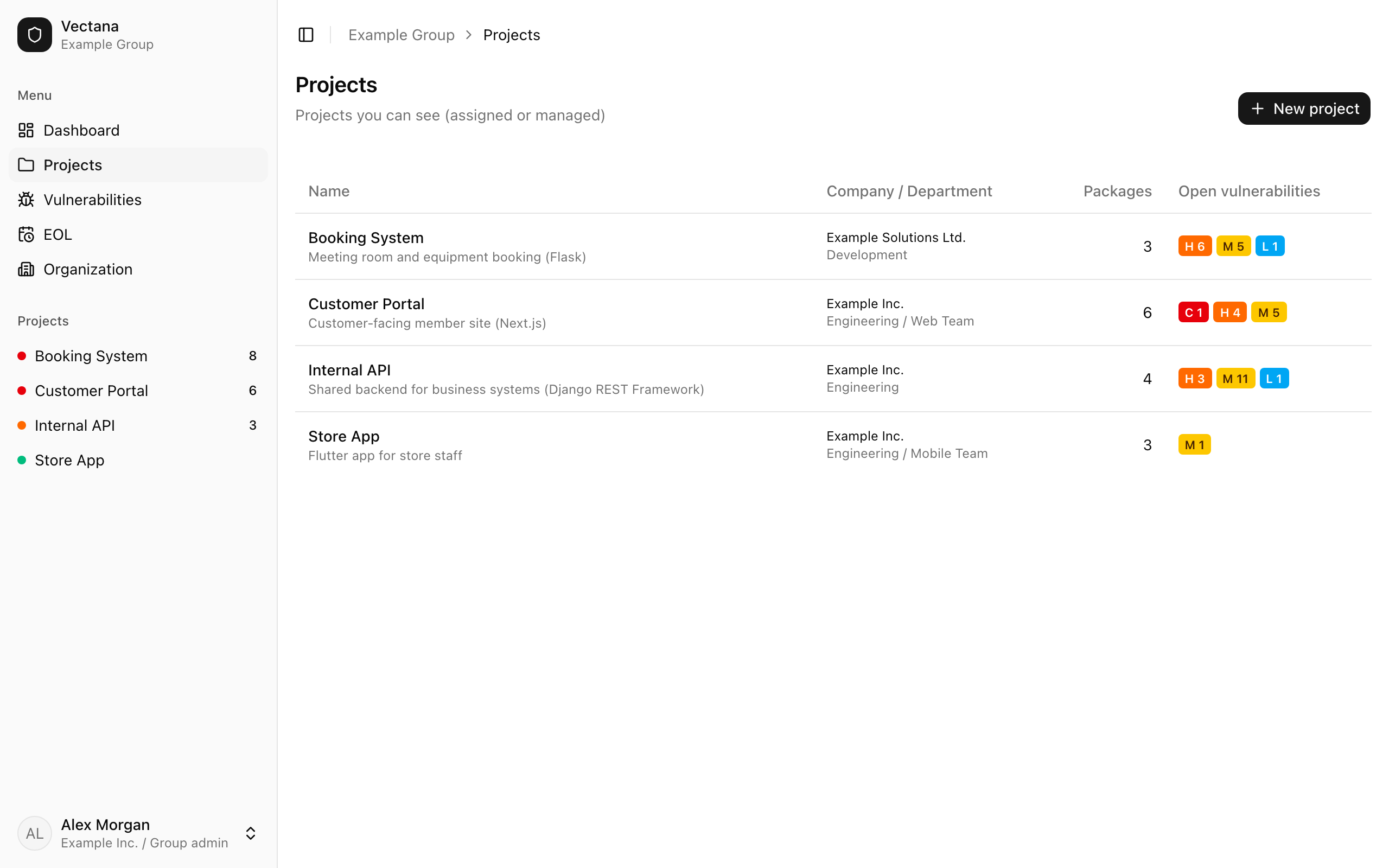
Go to “Projects” in the sidebar and press “New project”.
| Field | Description |
|---|---|
| Name | The project’s name |
| Description | Optional |
| Company | The company the project belongs to. Only group admins can pick a company other than their own |
| Department | Optional. Department heads can see projects of their department and its sub-departments |
Whoever creates the project becomes its owner.
The project page
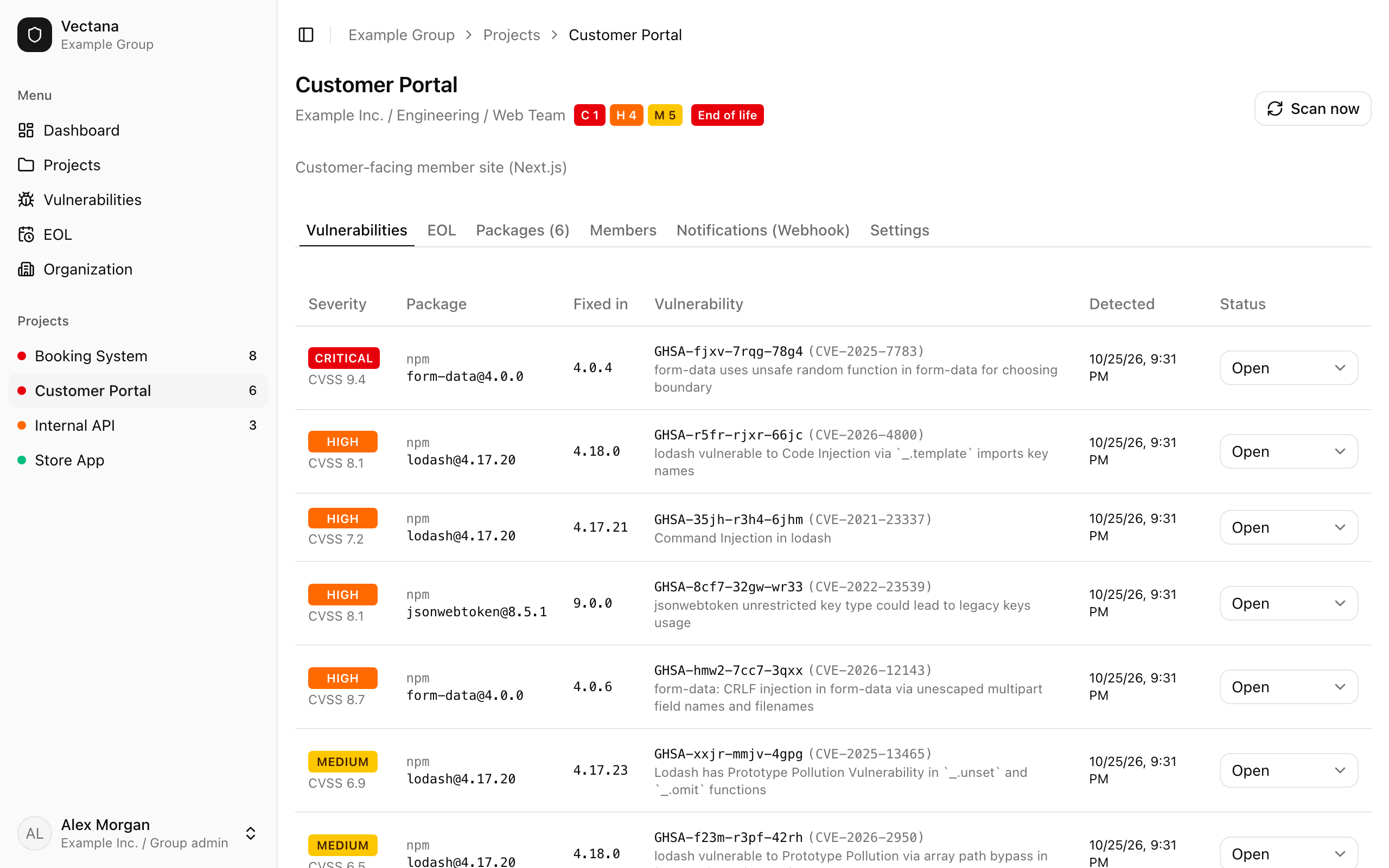
The top of a project shows its company, department and open vulnerability and EOL counts. Tabs switch between:
| Tab | Contents |
|---|---|
| Vulnerabilities | Vulnerabilities found in this project (Vulnerabilities) |
| EOL | Support status of packages and runtimes, and runtime registration (End of life) |
| Packages | Packages to watch and lockfile import (Registering packages) |
| Members | People assigned to the project |
| Notifications (Webhook) | Discord and Slack notifications (managers only) |
| Settings | Name, description, department, and deletion (managers only) |
“Scan now” at the top right checks everything immediately instead of waiting for the next scheduled check.
Members and roles
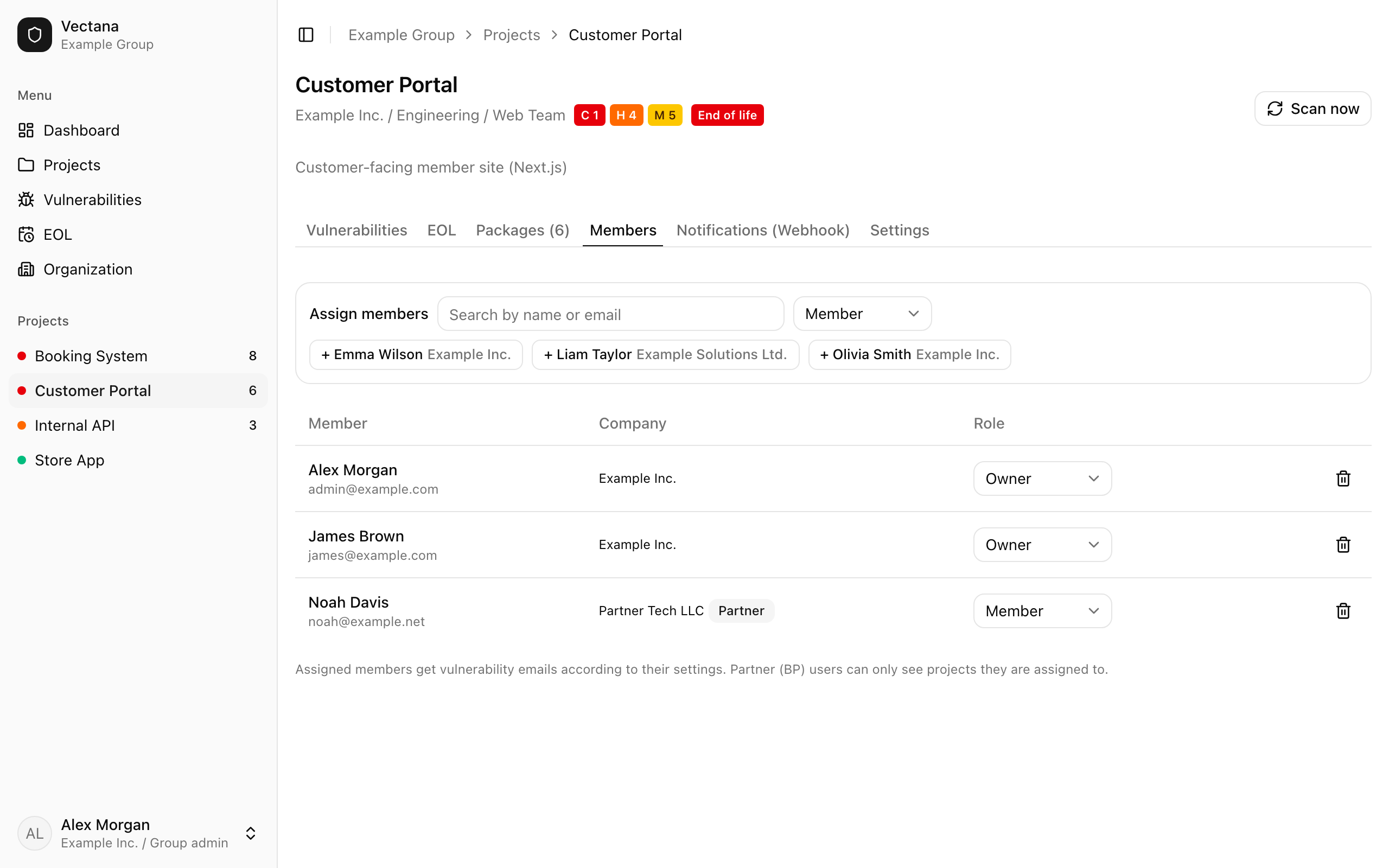
Assign people on the “Members” tab: search by name or email, pick a role and add them.
| Role | Can |
|---|---|
| Owner | Do everything, including settings, deletion, members and webhooks |
| Member | View, register packages and runtimes, and change vulnerability status |
| Viewer | View only |
Assigned members receive notification emails.
Company admins, group admins and the department’s heads can do everything an owner can, even without being assigned. Partner (BP) users can’t be made owners.
Change or delete a project
On the “Settings” tab you can change the name, description and department.
To delete a project, type its name to confirm. Its packages, runtimes, findings and webhooks are deleted too, and this can’t be undone.