End of life (EOL)
Check when packages and runtimes stop being supported, register runtimes, and import mise.toml.
Frameworks and languages that have reached end of life no longer get security fixes. Vectana uses data from endoflife.date to check their support dates.
Statuses
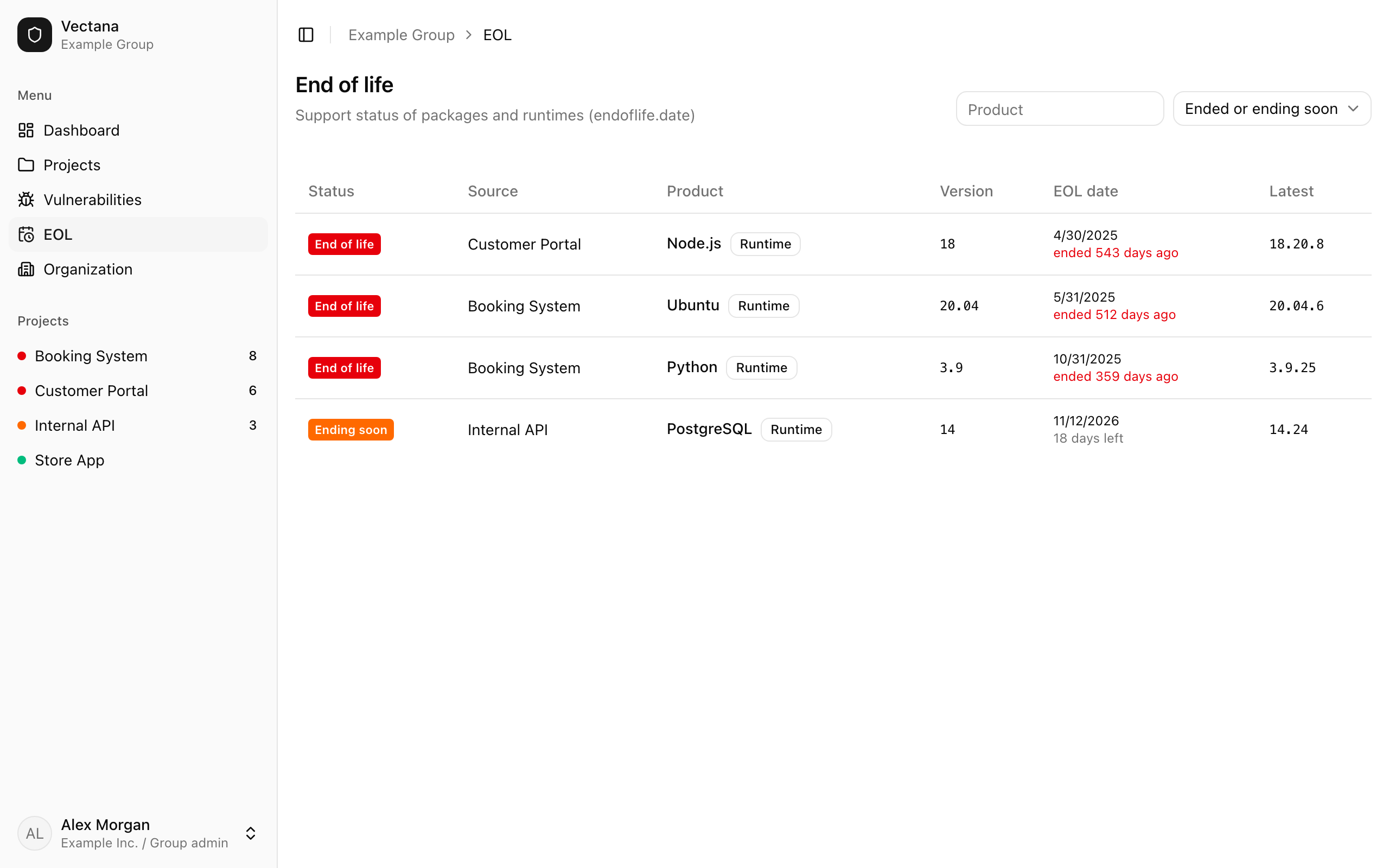
| Status | Meaning |
|---|---|
| End of life | Support has ended. Plan a move to a newer release |
| Ending soon | Support ends shortly (the window is set by an administrator; 90 days by default) |
| Supported | There’s plenty of time left, or no end date has been announced |
| Unknown | The product was recognized, but no release cycle matches the version |
The list shows “End of life” first, then “Ending soon”, nearest date first. Under the EOL date you’ll see “N days left” or “ended N days ago”.
Packages are checked automatically
Registered packages that endoflife.date knows about (Next.js, React, Django, Laravel, Spring Boot and many more) are checked automatically — there’s nothing to set up.
Versions are matched to their release cycle: Next.js 16.4.3 belongs to the “16” cycle, Python 3.10.4 to “3.10”.
Register runtimes
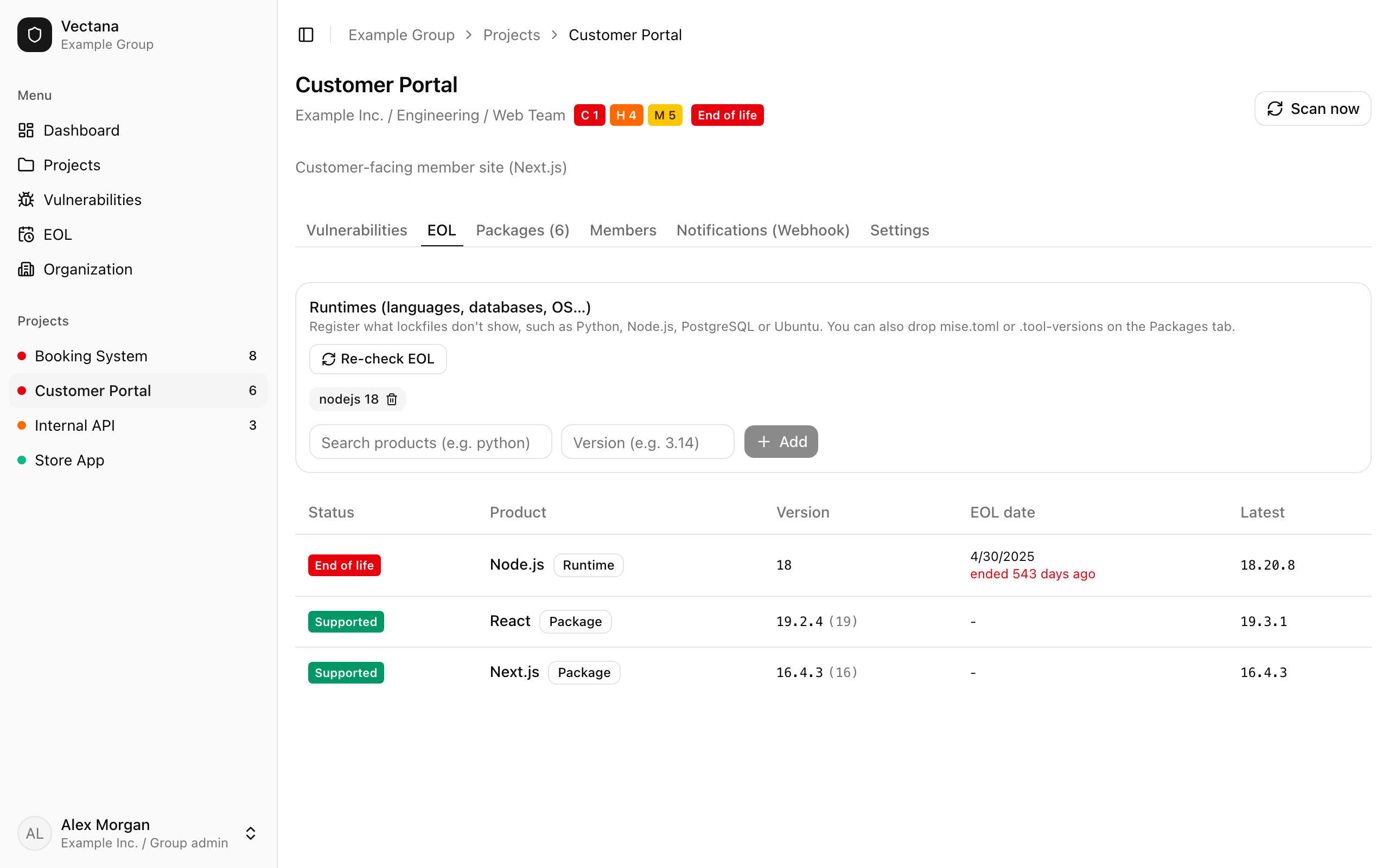
Languages, databases and operating systems don’t appear in lockfiles, so register them as runtimes on the project’s “EOL” tab.
Find the product
Type python, node, postgres, ubuntu or similar into “Search products” and pick one of the suggestions.
Enter the version
Enter the version you use (3.14, 24.18.0, 24.04…) and press “Add”.
It’s checked right away; the result can take a few seconds to appear. Press “Re-check EOL” to check again immediately.
Import mise.toml and .tool-versions
Drop a mise mise.toml (or .mise.toml, mise.local.toml) or an asdf .tool-versions file on the “Packages” tab, and the tools listed under [tools] are registered as runtimes.
[tools]
python = "3.14"
node = ["24", "22"]
postgres = { version = "18" }
java = "temurin-21"
uv = "latest"- Tool names are matched to endoflife.date products by name and alias:
node→ Node.js,postgres→ PostgreSQL - Java versions with a vendor, such as
temurin-21orcorretto-17, are registered as that vendor’s product - Lists of versions,
{ version = "…" }tables andprefix:18are supported
These are skipped, and the reason is shown after the import:
| Reason | Examples |
|---|---|
| No EOL data | Tools endoflife.date doesn’t cover (uv, git-cliff…) |
| Version not pinned | latest, lts, system and anything else that doesn’t name a version |
Each runtime badge shows the file it came from. Re-importing a file with the same name applies the differences, and runtimes you added by hand stay as they are.