Dashboard
See the vulnerability and end-of-life status of every project you can access at a glance.
The dashboard summarizes every project you can see. Which projects those are depends on your permissions.
Summary cards
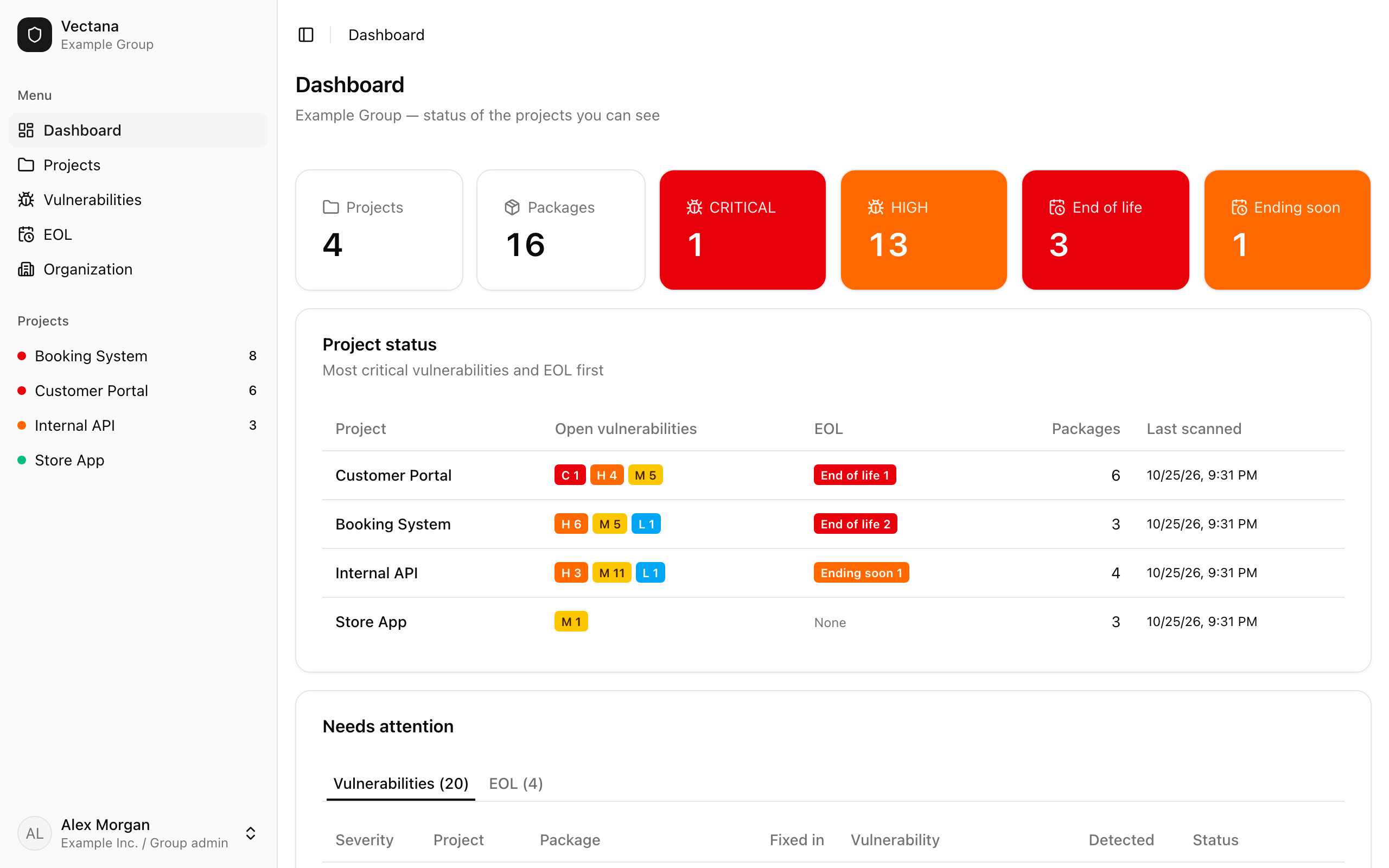
Six cards sit at the top.
| Card | What it counts |
|---|---|
| Projects | Projects you can see |
| Packages | Packages registered across them |
| CRITICAL / HIGH | Open vulnerabilities with CRITICAL or HIGH severity |
| End of life | Packages and runtimes that are no longer supported |
| Ending soon | Those that will reach end of life soon (the window is set by an administrator) |
The CRITICAL, HIGH and EOL cards turn colored when they’re not zero. Click a card to open the vulnerability or EOL list.
Project status
For each project, the table shows open vulnerabilities by severity, EOL counts, the number of packages, and when it was last scanned.
Projects are ordered by CRITICAL count, then HIGH, then EOL — the ones at the top are the ones to look at first.
Needs attention
At the bottom, switch between two tabs:
- Vulnerabilities: open vulnerabilities, highest severity first (up to 20). You can change their status right here
- EOL: packages and runtimes that have ended or are ending soon (up to 20)
To see everything, open “Vulnerabilities” or “EOL” in the sidebar.