Notifications
Receive vulnerability and EOL emails, and send them to Discord or Slack with webhooks.
Vectana notifies you about newly found vulnerabilities and EOL changes (ending soon, end of life). Everything found in one check is bundled into one digest per recipient.
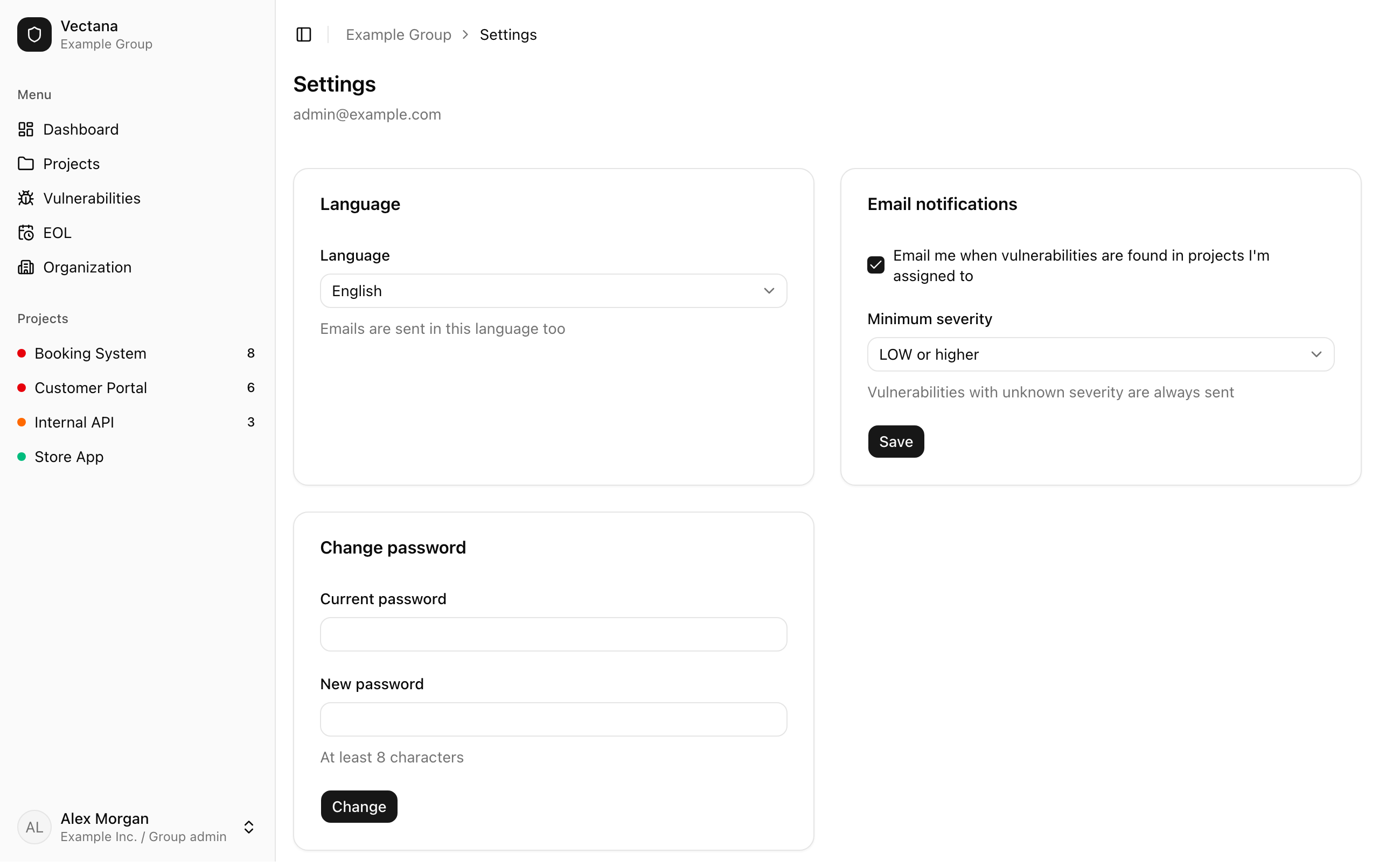
Emails go to the members assigned to the project, in the language each of them uses.
Change this under “Email notifications” in your settings:
| Setting | What it does |
|---|---|
| Email me… | Turn it off to stop notification emails |
| Minimum severity | Only vulnerabilities at this severity or higher are emailed (for example HIGH or higher) |
Discord and Slack (webhooks)
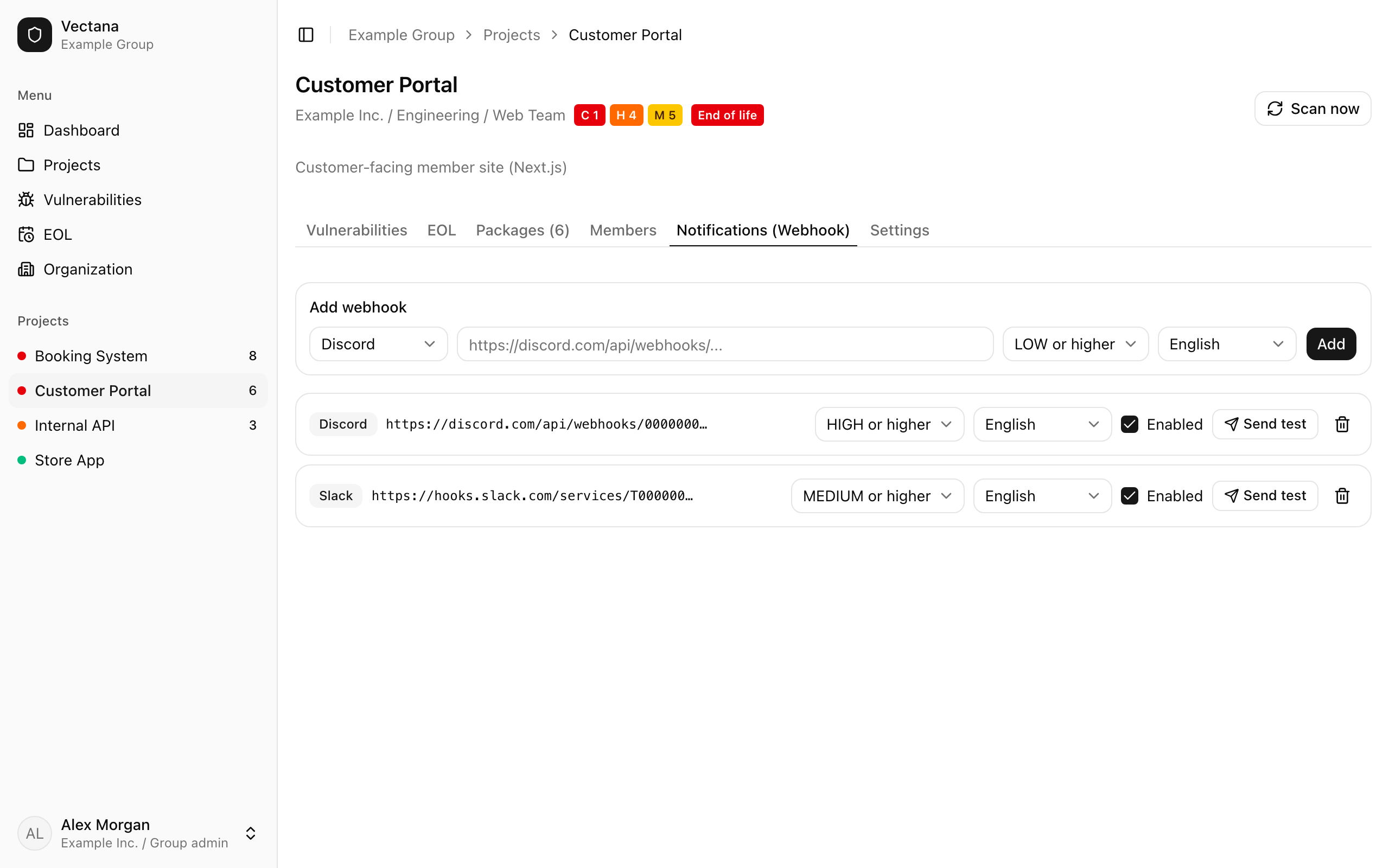
To notify a team channel, register a webhook on the project’s “Notifications (Webhook)” tab. Only people who can manage the project (owners, admins, department heads) can do this.
Create a webhook URL
Discord: Edit Channel → Integrations → Webhooks → New Webhook → “Copy Webhook URL”
Slack: add the “Incoming Webhooks” app, choose the channel to post to, and copy the webhook URL
Add it to Vectana
Choose the type (Discord / Slack), paste the URL, pick the minimum severity and the language, and press “Add”.
Send a test
Press “Send test” in the list and check that the message shows up in the channel.
- Only
https://URLs are accepted - Untick “Enabled” to pause a webhook without deleting it
- A project can have several webhooks
How notifications behave
- The same vulnerability is never sent to the same recipient twice
- EOL is notified once when it becomes “Ending soon” and once when it reaches “End of life”
- Acknowledged and ignored vulnerabilities aren’t notified
- Failed sends are retried on later checks (for 7 days after the finding)