Users and permissions
Invite users, understand roles and visibility, department heads and partner users, and edit users.
Roles and visibility
A user’s role, and whether they head a department, decide which projects they see and what they can do.
| Who | Projects they see | Organization management |
|---|---|---|
| Group admin | All | Every company, department and user, plus system settings |
| Company admin | All projects of their company | Their company’s departments and users |
| Department head | Projects of the departments they head and all sub-departments (plus assigned ones) | None |
| Member | Only projects they’re assigned to | None |
| Partner (BP) user | Only projects they’re assigned to | None |
- Projects you can’t see don’t appear in lists, and opening their URL directly shows “not found”
- Company admins, group admins and department heads can do everything an owner can in the projects they see
- In projects you’re assigned to, your project role (owner, member, viewer) decides what you can do (Projects)
Partner (BP) users
Users of a partner company have these limits:
- Their role is always member (they can’t be administrators)
- They can’t create projects
- They can’t be project owners
- They can’t search for other users
Invite a user
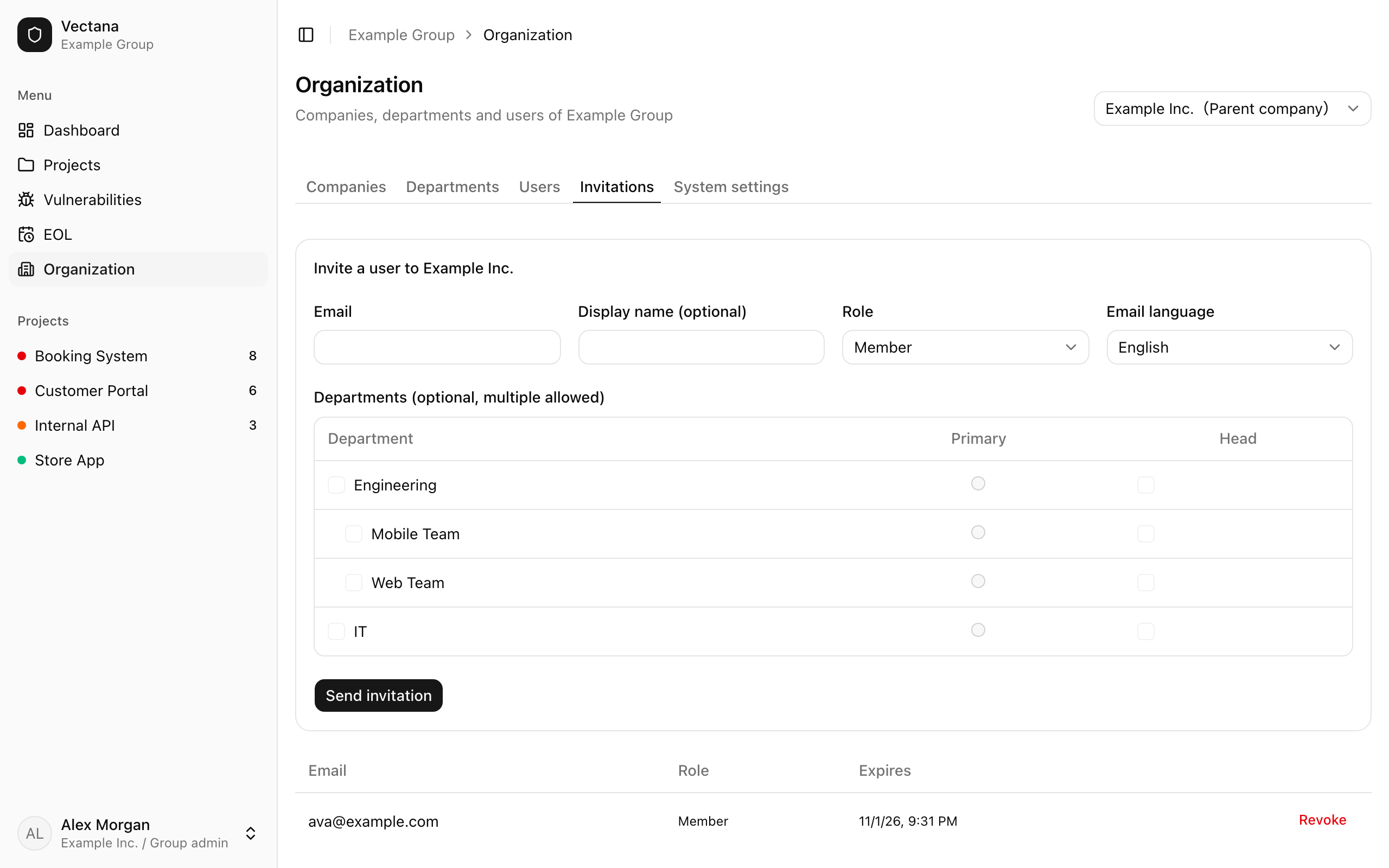
Invite people on the “Invitations” tab. Company admins invite to their own company; group admins to any company.
| Field | Description |
|---|---|
| The person’s address | |
| Display name | Optional; they can change it later |
| Role | Group admin (only group admins can grant it), company admin or member |
| Email language | The language of the invitation email and of the new account |
| Departments | Optional. Pick one or more (people can belong to several), one primary, and whether they head each one |
Press “Send invitation” to email them. Invitation links are valid for 7 days.
Pending invitations are listed and can be revoked. Inviting the same address again revokes the earlier invitation automatically.
Edit a user
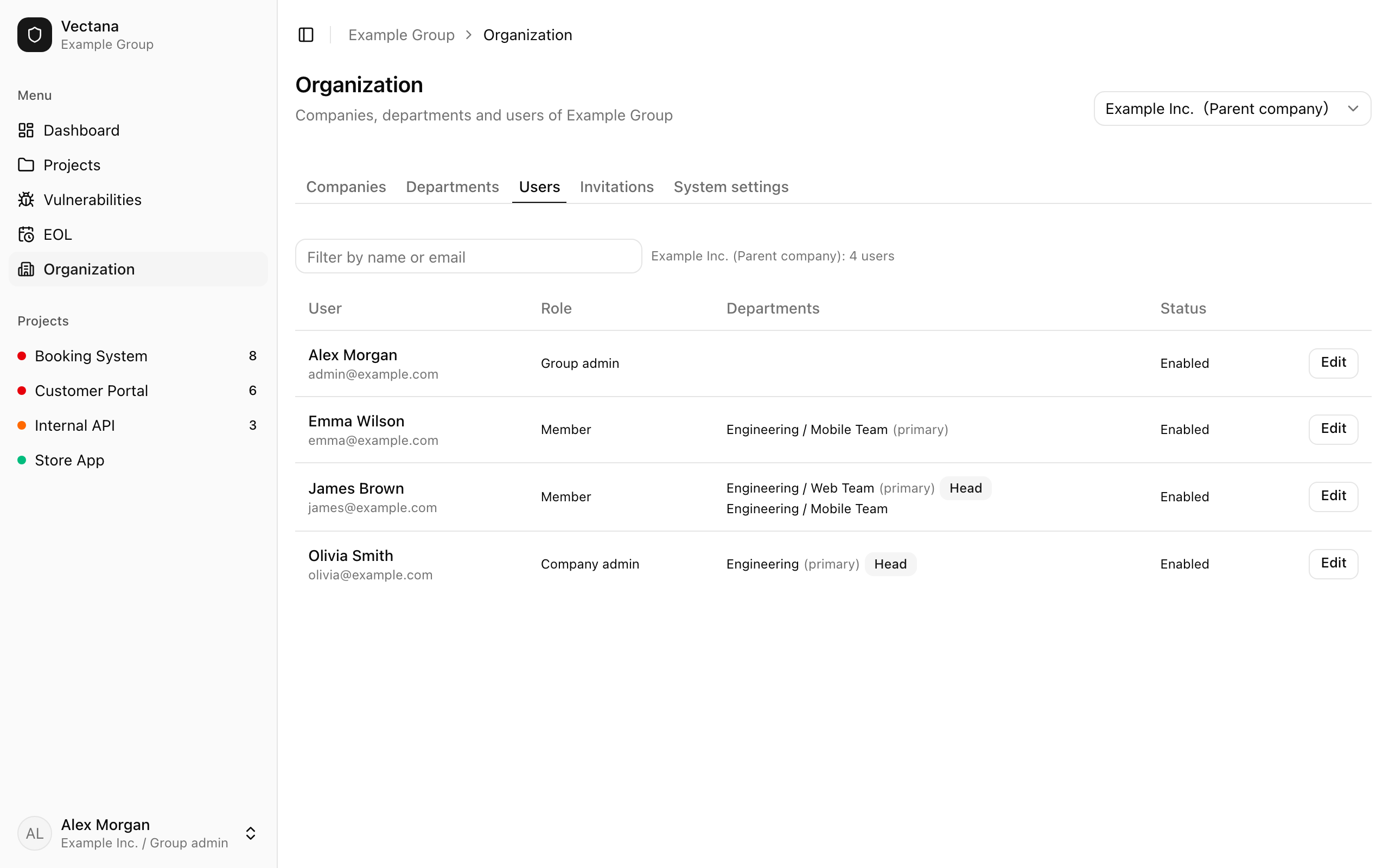
The “Users” tab lists users with their role, departments and status. Press “Edit” to change:
- Display name
- Role
- Allow login (turn it off to stop the user from logging in)
- Departments (multiple, primary, head)
You can’t change your own role or disable yourself. Company admins can’t edit group admins or grant the group admin role.