Registering packages
Add packages to watch by hand, or import them from lockfiles and mise.toml.
Vulnerability and EOL checks run against the package versions registered in a project. Register them on the project’s “Packages” tab.
Import a lockfile (recommended)
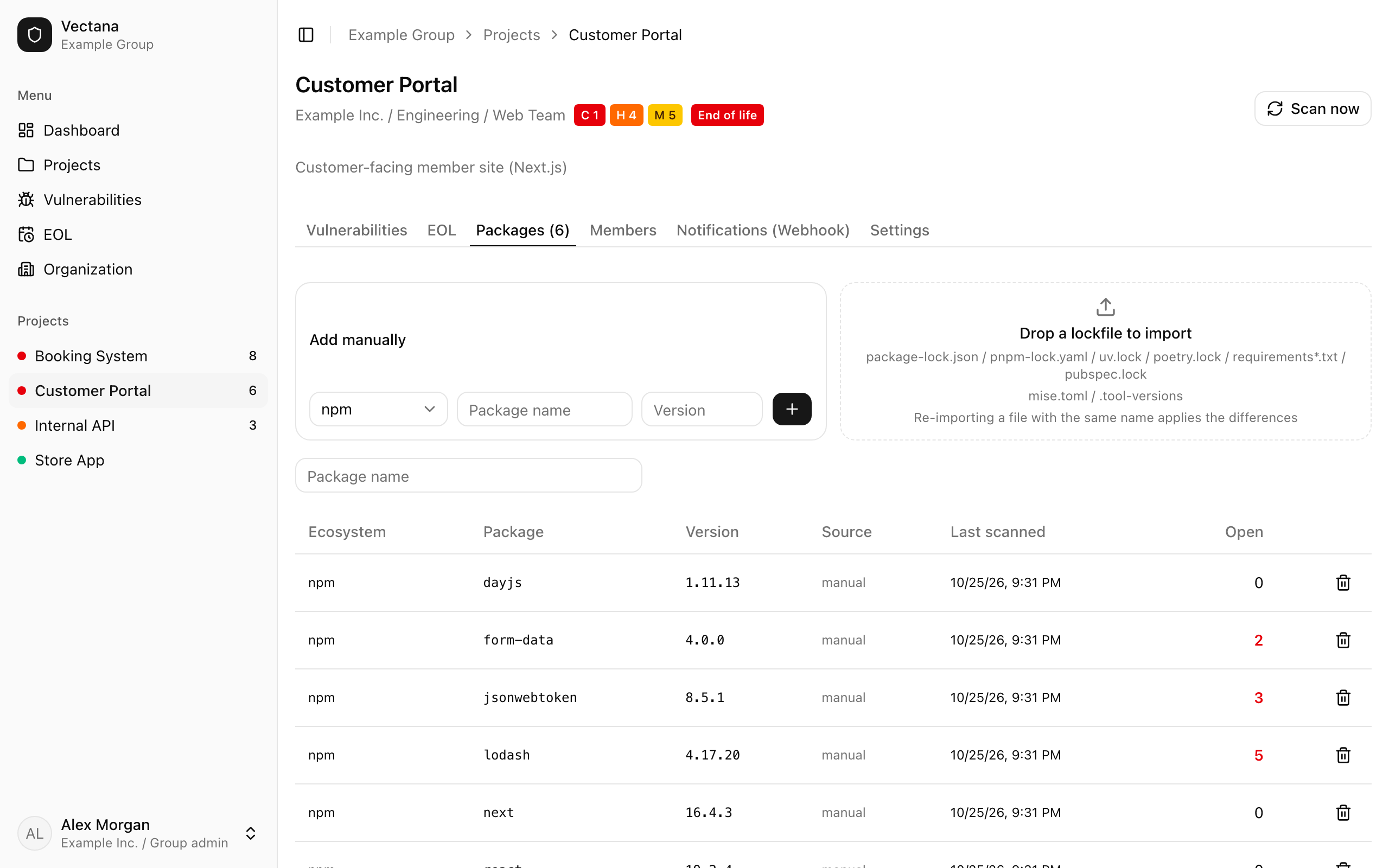
Drag and drop a lockfile onto the drop area, or click it to choose files. You can import several files at once.
| File | Type |
|---|---|
package-lock.json / npm-shrinkwrap.json |
npm |
pnpm-lock.yaml |
npm (pnpm) |
uv.lock / poetry.lock |
PyPI |
requirements.txt (and any .txt with “requirements” in its name, such as requirements-dev.txt) |
PyPI |
pubspec.lock |
Pub (Dart / Flutter) |
mise.toml / .tool-versions |
Runtimes (registered for EOL) |
Checking starts in the background right after the import.
Re-import
Importing a file with the same name again applies only the differences:
- Packages that are new are added
- Packages that are gone are removed, together with their findings
- Packages you added by hand are left alone
After updating your dependencies, import the new lockfile. Findings for the old versions disappear and everything is up to date.
Add a package by hand
Under “Add manually”, enter the ecosystem, package name and version.
Supported ecosystems are npm, PyPI, Pub, Maven, Go, crates.io, RubyGems, Packagist and NuGet. For Maven, use groupId:artifactId (for example org.springframework.boot:spring-boot).
The package list
The list shows each package’s ecosystem, name, version, source (manual or the file it came from), last scan time and number of open vulnerabilities. Remove a package with the trash icon.
When checks run
- Right after you add or import packages
- On a schedule (every 6 hours by default; the interval is a server setting)
- When you press “Scan now” on the project page